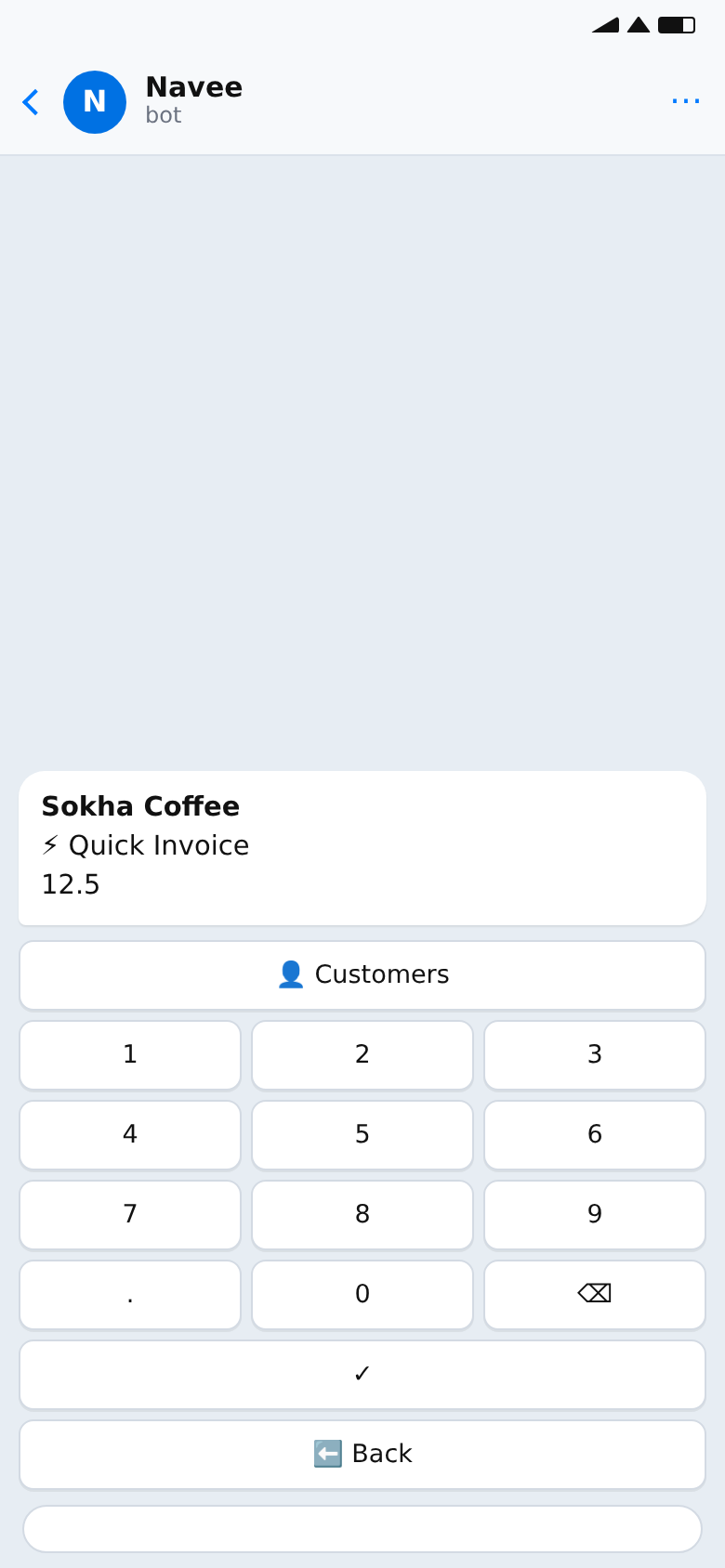
For small shops in Cambodia
Your shop's daily counter, inside Telegram — make an invoice in seconds, and always know who has paid.
Records invoices and payment status. It does not move money.
A real look
Made for the phone you already hold.
Three screens from the seller bot, captured in our sandbox shop. Every screen below exists in the product.
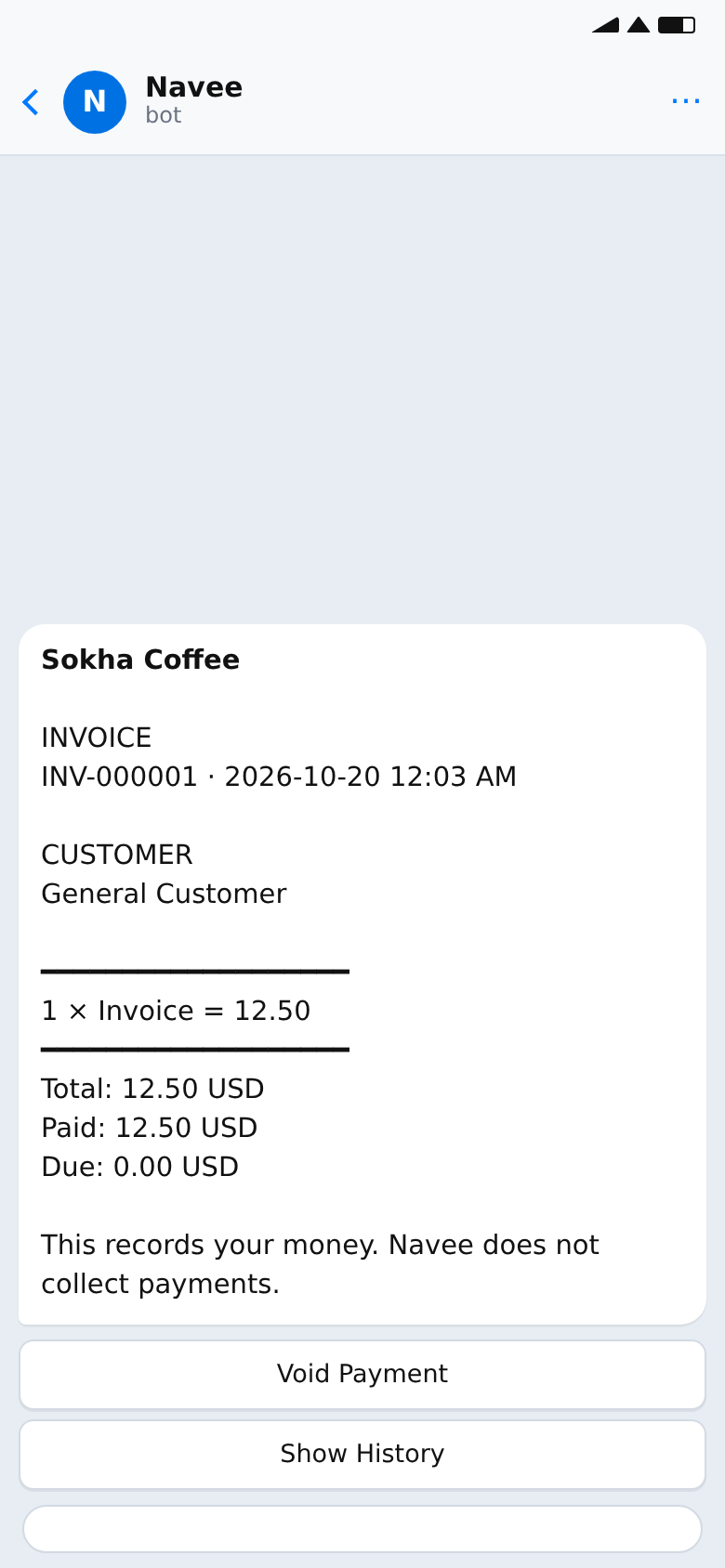
Invoice and payment status
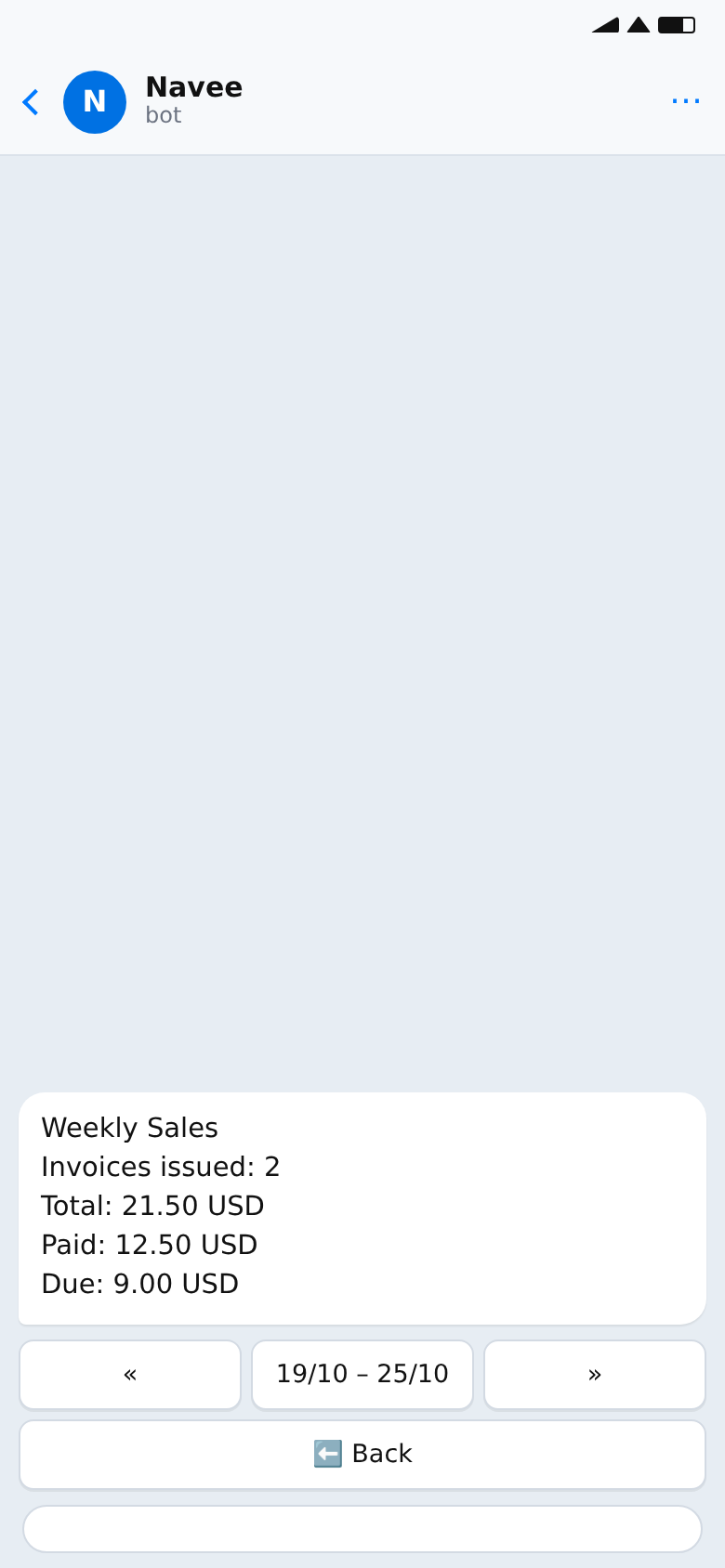
Weekly sales
What it does
The paper book, without the paper.
Make an invoice in seconds
Add items or type the amount, then send the invoice.
See who has paid
Mark an invoice as paid and see its status right away.
Know who still owes
Open the shop's invoices instead of checking a notebook.
Read the day's sales
See what the shop sold without adding it up by hand.
Price
Pricing for your shop.
Talk to us
Every shop is different. Message us on Telegram and we will talk about your shop.
No card is charged from this page.
Open in Telegram How to start
Start in one chat.
-
Open Telegram
Tap the link and open the bot.
-
Add your shop
Enter the shop name and its products.
-
Make the first invoice
Type the amount or use the keypad.
Open in Telegram It runs inside Telegram.